Reports and exports
Atlessa keeps your numbers: what you hold, made, and sold, and what each of it cost. The Exports tab hands them back as CSV, for your accountant, a stocktake, or your own spreadsheet, including the valuation proof behind every cost figure in the app.
Steps
- Open the Exports tab. Go to Reports, then Exports.
Exports is one of the Reports, alongside Margins and Cash in stock in the sub-nav. It opens on a list of downloadable CSVs, each with a one-line description and a Download CSV button. The subtext names the conventions once: "Export your catalog, inventory, and production records as CSV. Quantities carry a separate unit column, dates are ISO 8601, and money is a decimal beside its currency." The two inventory exports go further with a blank count column, so you can print either as a stocktake sheet.
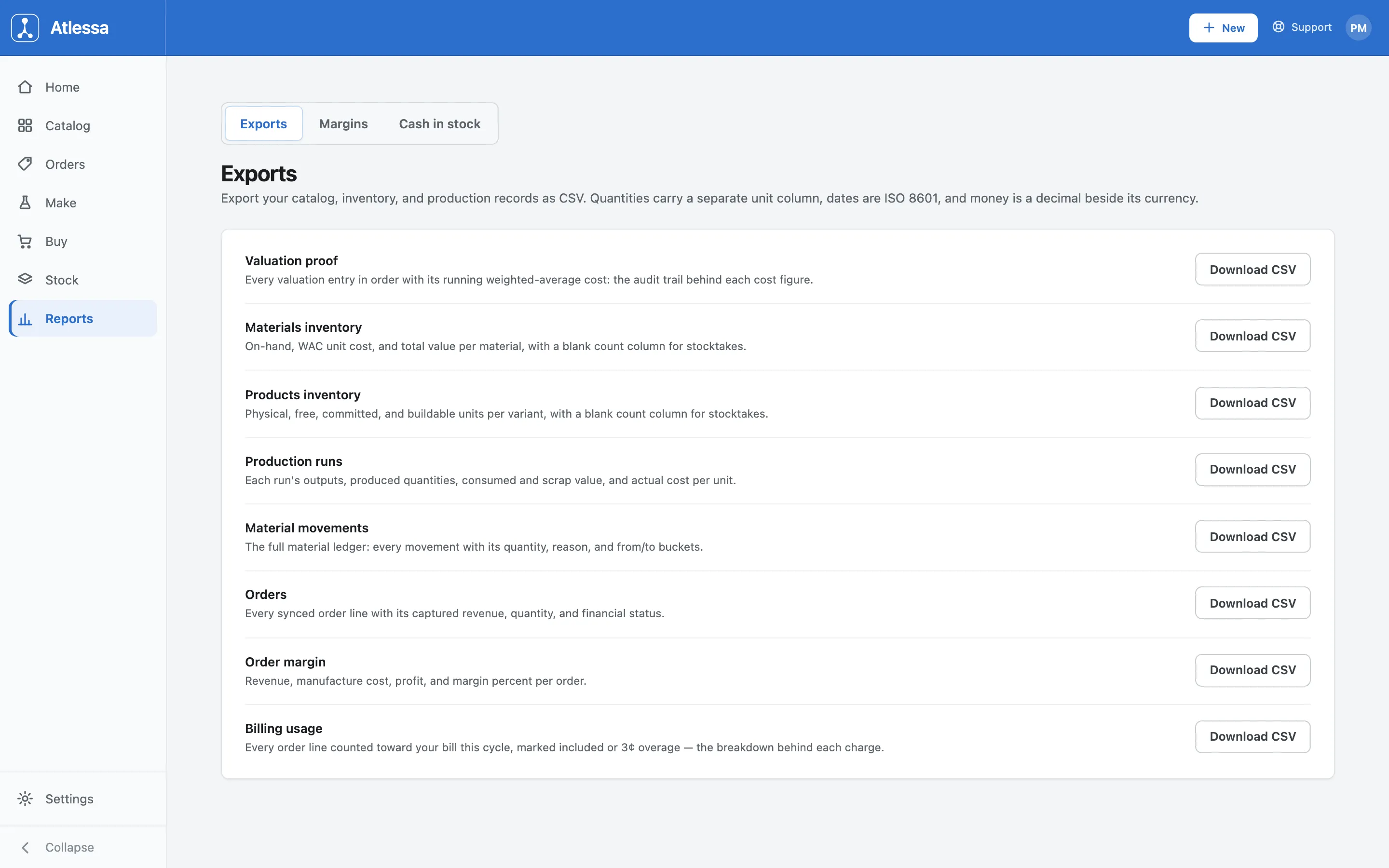
The Exports tab: eight CSVs for stock, production, orders, and billing, each with a one-line description and a Download CSV button. - Export your stock and the proof behind its cost.
Three exports cover what you hold and how it is valued:
- Materials inventory: on-hand, WAC unit cost, and total value per material, with the blank count column for stocktakes.
- Products inventory: physical, free, committed, and buildable units per variant, again with a blank count column.
- Valuation proof: the audit-grade one. Every valuation entry in order with its running weighted-average cost. It is the record behind every WAC number in Cash in stock and Margins, so when an accountant or auditor asks how a cost was arrived at, it walks them entry by entry to the figure.
- Export what you made and what you sold.
Four exports cover production and sales:
- Production runs: each run's outputs, produced quantities, consumed and scrap value, and actual cost per unit.
- Material movements: the full material ledger, every movement with its quantity, reason, and from/to buckets.
- Orders: every synced order line with its captured revenue, quantity, and financial status.
- Order margin: revenue, manufacture cost, profit, and margin percent per order.
Together they give the making side and the selling side as raw rows, ready to pivot or reconcile in your spreadsheet.
- Export the breakdown behind your bill.
Billing usage is every order line counted toward your bill this cycle, each marked included or as the small per-line overage: the line-by-line breakdown behind each charge, and exactly what your invoice is built from.
Exporting just one report. The Exports tab is the full set in one place, but several screens carry their own CSV for a quick one-off: Cash in stock and Margins export the list on screen, the Lots list exports every batch in stock, an item's Ledger exports its movements, and a production run exports its own detail. Use those for one report as filtered; the Exports tab for the whole set.
Common questions
- Where do I export my data?
- Reports, then the Exports tab. It holds eight CSVs covering inventory, valuation, production, orders, order margin, and billing usage, each with its own Download CSV button.
- Which export proves my costs?
- Valuation proof. The running-WAC audit trail: every valuation entry in order with its running weighted-average cost, so it walks entry by entry to each cost figure you see in Cash in stock and Margins.
- How do I do a stocktake?
- Export Materials inventory or Products inventory. Each includes a blank count column, so you can print it as a stocktake sheet and write your physical counts in beside the on-hand figures.
- What format are the CSVs in?
- Every export shares the same conventions: quantities carry a separate unit column, dates are ISO 8601 (like 2026-08-28), and money is a decimal beside its currency, keeping them clean to sort, parse, and open in any spreadsheet.
- Can I export just one report?
- Yes. Cash in stock, Margins, the Lots list, an item's Ledger, and a production run each have their own CSV export for a quick one-off. The Exports tab is where you get the full set together.
- What is the Billing usage export?
- The per-order-line breakdown behind your bill this cycle. Each line is marked either included or as the small per-line overage, so you see exactly what each charge is built from.
If it is not working
- A date or number looks odd in my spreadsheet.
- The files follow fixed conventions, not your spreadsheet's guesses. Dates are ISO 8601 and every quantity has its unit in a separate column, so if a date reads as text or a quantity splits oddly, set the column types on import rather than letting the spreadsheet auto-detect them.
- I need last month's numbers.
- The exports are current-state or full-history depending on the report: an inventory export is what you hold right now, a ledger export is the full history. For a point-in-time margin or cash figure, set the period controls on Margins or Cash in stock first, then export from that report.